Showing posts with label microsoft. Show all posts

Monday, May 6, 2013

How to fix Lync Server Error "An unhandled exception was encountered in Service service"


We recently encountered an error with a Microsoft Lync server "An unhandled exception was encountered in Service service" that impacted users who were trying to expand a Distribution Group in Microsoft Office Communicator 2007 that had a simple fix. Read more about this error message and how we fixed it.


From the log files:

Log Name:      Lync Server
Source:        LS Web Components Server
Date:          4/30/2013 11:39:41 AM
Event ID:      4096
Task Category: (1074)
Level:         Error
Keywords:      Classic
User:          N/A
Computer:      DC-FEC-22.dc.ad.contoso.com
Description:
An unhandled exception was encountered in Service service.
Exception Details. System.Runtime.InteropServices.COMException (0x8007203A): The server is not operational.
   at Microsoft.LiveServer.DLExpansion.Service.ThrowSoapFault(Exception e)
   at Microsoft.LiveServer.DLExpansion.Service.QueryADGetDistributionListInfo(String mail, DirectorySearcher dSearcher)
   at Microsoft.LiveServer.DLExpansion.Service.ProcessADRequest(OCSPrincipal user, String key, DlxGroup& result)
   at Microsoft.LiveServer.DLExpansion.Service.ExpandDistributionList(String groupMailAddress)
   at SyncInvokeExpandDistributionList(Object , Object[] , Object[] )
   at System.ServiceModel.Dispatcher.SyncMethodInvoker.Invoke(Object instance, Object[] inputs, Object[]& outputs)
   at System.ServiceModel.Dispatcher.DispatchOperationRuntime.InvokeBegin(MessageRpc& rpc)
   at System.ServiceModel.Dispatcher.ImmutableDispatchRuntime.ProcessMessage5(MessageRpc& rpc)
   at System.ServiceModel.Dispatcher.ImmutableDispatchRuntime.ProcessMessage4(MessageRpc& rpc)
   at System.ServiceModel.Dispatcher.MessageRpc.Process(Boolean isOperationContextSet)
Cause: Application error. Please look through the exception details for more information.
Resolution:
Restart the server. If the problem persists contact product support.


Event Xml:
<Event xmlns="http://schemas.microsoft.com/win/2004/08/events/event">
  <System>
    <Provider Name="LS Web Components Server" />
    <EventID Qualifiers="50226">4096</EventID>
    <Level>2</Level>
    <Task>1074</Task>
    <Keywords>0x80000000000000</Keywords>
    <TimeCreated SystemTime="2013-04-30T15:39:41.000000000Z" />
    <EventRecordID>65745</EventRecordID>
    <Channel>Lync Server</Channel>
    <Computer>DC-FEC-22.dc.ad.contoso.com</Computer>
    <Security />
  </System>
  <EventData>
    <Data>Service</Data>
    <Data>System.Runtime.InteropServices.COMException (0x8007203A): The server is not operational.
   at Microsoft.LiveServer.DLExpansion.Service.ThrowSoapFault(Exception e)
   at Microsoft.LiveServer.DLExpansion.Service.QueryADGetDistributionListInfo(String mail, DirectorySearcher dSearcher)
   at Microsoft.LiveServer.DLExpansion.Service.ProcessADRequest(OCSPrincipal user, String key, DlxGroup&amp; result)
   at Microsoft.LiveServer.DLExpansion.Service.ExpandDistributionList(String groupMailAddress)
   at SyncInvokeExpandDistributionList(Object , Object[] , Object[] )
   at System.ServiceModel.Dispatcher.SyncMethodInvoker.Invoke(Object instance, Object[] inputs, Object[]&amp; outputs)
   at System.ServiceModel.Dispatcher.DispatchOperationRuntime.InvokeBegin(MessageRpc&amp; rpc)
   at System.ServiceModel.Dispatcher.ImmutableDispatchRuntime.ProcessMessage5(MessageRpc&amp; rpc)
   at System.ServiceModel.Dispatcher.ImmutableDispatchRuntime.ProcessMessage4(MessageRpc&amp; rpc)
   at System.ServiceModel.Dispatcher.MessageRpc.Process(Boolean isOperationContextSet)</Data>
  </EventData>
</Event>

• Affected Users: users trying to expand Distribution Groups in Office Communicator 2007 were affected.

• Fix: Restarted IIS on Lync servers. Please leave your thoughts in the comment section below this post.

Friday, February 8, 2013

Browse the registry just like a UNC path

Periodically I am searching for a registry path and I stumble upon something on the internet telling me to go 10+ subkeys into a hive to find a value. Although not terrible, it's kind of annoying to switch back and forth between regedit and the browser to follow the path down to the key that I need.

After some googling, I found that Mark Russinovich made a command line version of a tool for this, but I wanted a GUI so I decided to write my own registry jump browser tool. It's pretty simple to use, you plug the key into the input box and hit enter or click the browse registry button.

Format for the key path should look like

HKEY_LOCAL_MACHINE\SOFTWARE\Microsoft\Test Key\Test Sub Key
or
hklm\SOFTWARE\Microsoft\Test Key\Test Sub Key

and if the key is present, it will open the registry and navigate down to the key you've input. If the key does not exist, it will tell you that as well.

You may also use a command line version of this using the format below in the command prompt (remember to navigate to it)
regbrowser "hklm\software\microsoft"

You can only have 1 instance of the registry open when doing this, and it is designed for local registry browsing only, FYI.

Enjoy and leave a comment if it is useful for you, or if you have a suggested improvement.


http://www5.zippyshare.com/d/25056500/3177663/RegBrowser.exe

^ new version with help file built in and minor added functionality


http://www17.zippyshare.com/d/54500288/4459293/Registry%20Browser.zip

^ Sorry blogspot doesn't host .zip files

Tuesday, January 15, 2013

So you're getting Event Manager / Application Log code 9669

This event manager code is generated when your Exchange Server 2007 environment has run out of rows to write to in a database column, that hold unique mail header information, per each mail server. There are many posts on the internet as to how to raise the threshold for this table up to the max (database crashing) limit of 32768.

If you've temporarily raised the ceiling, just as congress keeps raising the debt ceiling, you probably realize just as congress does that eventually a limit is going to be reached and everything is going to then crash and burn.

Fortunately for you, Microsoft decided to build a way to monitor this ceiling/threshold.

Open up regedit and navigate to HKLM\System\CurrentControlSet\Services\MSEXchangeIS\Performance

• Modify the string value "Library" from (notice the dll name) [drive you have exchange program files on]\Program Files\Microsoft\Exchange Server\Bin\Perf\%Processor_Architecture%\mdbperf.dll

to

[drive you have exchange program files on]\Program Files\Microsoft\Exchange Server\Bin\Perf\%Processor_Architecture%\mdbperfx.dll

• Go to each server and apply the attached registry file change (rename the file extension appropriately)

• Open perfmon after registry change

• Right click and add counters and then select “MsExchangeIS Mailbox” under the counters and expand it

• Scroll down to “Rows in ReplidMap Table” and click once on it

• In the “Instances of selected object” window below, highlight each database individually and click add and then ok

• Next scale your counters and determine if any of them are approaching the 16383 out of the box limit

• Save the counter report as an html file so you can go back later, run the report again and calculate the rate of change each day, you can also export them as a .tsv (Tab Separated Value) file for sharing.

At this point you can spot check all other databases to see which are also approaching the replica id limit you've coded into the registry. You can also check these values with a powershell command after you've altered the registry key mentioned above.

The code for that is:

Get-mailboxserver | foreach {get-counter –counter “\MSExchangeIS Mailbox(*)\Rows in ReplidMap Table” –sampleinterval 2 –maxsamples 1}

Tuesday, January 8, 2013

My Top 10 Windows Phone Apps


This post is inspired in part by my friend Chip Dizárd who is new to Windows Phone which has been out since 2010 and I have been an owner of a HTC Trophy Phone since July 2011 and the Windows Phone Marketplace now has over 100,000 apps, For those of you who are new to Windows Phone, I'd like to share My Top 10 Windows Phone apps that I like and that I find useful.(not listed in any order)

10. WeatherLive

WeatherLive is a great weather app with great Live Tile Support. Being able to quickly see the updated forecast for my location from the Live Tile pinned to my Start Screen, See the10 day outlook, radar and satellite views as well as view webcams is fantastic. Publisher: Hyperise
Cost: Free


9. Slacker Radio
Slacker Radio is a great way to listen to music. I am not one of those people who has 5,000 songs on my device. Slacker Radio gives me access to over 200 professionally programmed stations as well as letting me create a station based on my tastes in music. Publisher: Slacker, Inc. Cost: Free
 

8. Rowi [lite]
I know that there are quite a few choices for Twitter Apps in the Windows Marketplace but I find Rowi to be a great Twitter app for Windows Phone with a simple interface. I like being able to pin my @mentions to my start screen. There are ads in the [lite] version of the app.  Publisher: Hidden Pineapple, LLC Cost: Free and $1.49 (ad-free with push notifications)


7. FoodSpotting

The Foodspotting app makes finding food recomendations at restaurants easier. I use it to take photos of good foods & share where to find them. I always check it for recommendations when I travel and I add the places I visit so others can see what's great.
Publisher: Foodspotting 
Cost: Free


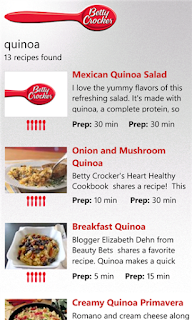
6. Betty Crocker

Solve the age old question of What's for dinner?  Get great recipes from the mobile version of the world-famous Betty Crocker cookbook. I use it to update my Evernote grocery shopping list for ingredients for the meal.
Publisher General Mills Inc.
Cost: Free


5. Open Table
For the times when I do not cook at home, I like being able to make restaurant reservations for free, instantly from my Windows phone with Open Table. There are more than 15,000 OpenTable-enabled restaurants in the United States, Canada and United Kingdom.
Publisher: OpenTable, Inc.
Cost: Free


4. GasBuddy


 When I need to know if gas is cheaper near my home, near my job or near me if I am out running errands or traveling, I click on Gas Buddy before I start driving. Gas Buddy also tells you in miles, how far away you have to drive to get it. As an added bonus, if you help report gas prices at stations if they are different, you can get a chance to win free gas.
Publisher GasBuddy.com 
Cost: Free
Evernote allows you to create notes, lists that can be accessed from anywhere and shared with anyone. I can create shopping lists on my iPad that I can view on my phone while I am at the store. Or I can create the list on my phone while looking at a recipe on the Betty Crocker app. You can also update your Evernote notes from your computer.
Publisher Evernote
Cost : Free


2. SBux


Though it is not the official Starbucks app, SBUX comes pretty close to matching what Starbucks has done for iOS and Android devices. Paying with the phone, finding the closest starbucks to your current location and adding multiple cards are some of the features I like.
Publisher Denham Software Solutions
Cost : Free


1. Vimeo
The Vimeo app allows you watch videos as well as manage your videos if you have any on the site. You can create pinned tiles with your videos or featured channels. Sharing videos using social media is easy.
Publisher: Vimeo
Cost: Free


Conclusion
While there are thousands of apps available for Windows Phone users to get including others that do similar things to my list of Top 10 Windows Phone apps, I hope you will check out the ones I have shared in this post. I like the features and functionality provided by apps and I invite you to share some of your favorite Windows Phone apps in the comments.

Disclaimer
I was not compensated financially for mentioning any of the apps included in this post. I was, however, rewarded with satisfaction and enjoyment which allowed me to create this post about My Top 10 Windows Phone Apps.

Friday, September 28, 2012

Microsoft, What did you do to Forefront?

ForeFront Logo

I am shocked but not surprised by Microsoft's decisions about Forefront as recently announced on September 12th, 2012 (the same same day as Apple's iPhone 5 launch) on their Server and Cloud Blog titled "Important Changes to Forefront Product Map". The following products from the Forefront Product Set will no longer be sold as December 1st, 2012:
    • Forefront Protection 2010 for Exchange Server (FPE)
    • Forefront Protection 2010 for SharePoint (FPSP)
    • Forefront Security for Office Communications Server (FSOCS)
    • Forefront Threat Management Gateway 2010 (TMG)
    • Forefront Threat Management Gateway Web Protection Services (TMG WPS)
Also mentioned in Microsoft's blog post is that Forefront Online Protection for Exchange (FOPE) will be called Exchange Online Protection (EOP) for the next release. EOP can be combined with the new Anti-malware protection built-in to Exchange Server 2013. SharePoint and Lync Servers will continue to offer the built-in security capabilities also Forefront Unified Access Gateway (UAG) and Forefront Identity Manager (FIM) will still be be available.

Mary Jo Foley, from ZDNET, wrote a post called "Microsoft axes many of its Forefront enterprise security products" shortly after the announcement. She also mentioned that Forefront Endpoint Security will be rolled into the new System Center 2012 Endpoint Protection. The comments on her blog post, on Twitter as well as Microsoft's post show the confusion among users about the Forefront changes. People are wondering what will happen to their TMG deployments, will signatures be updated, Windows Server 2012 support, what exactly is the new Anti-malware protection built-in to Exchange Server 2013 and how is Exchange Online Protection different from that offering? Do you have any questions or comments about what your options will be once these changes take effect?

For us, we were considering replacing Internet Security and Acceleration (ISA) servers with Forefront Threat Management Gateway 2010 servers but now we are exploring other solutions I think partly based on this recent news. I will be watching closely to see what Microsoft does with new Forefront offerings. Comments, thoughts and opinions welcomed.

Tuesday, July 31, 2012

Windows Server 2012 I hate your start button ...

Windows Server 2012 I hate your start button but I love your virtualization capabilities. I'm hoping my organization will be able to take advantage of your increased number of remote desktop connections, from the current OS we are using. I'm also totally stoked to use your virtualization failover services although I doubt my management will allow me to do that except for Sunday morning at 4am.

I tried [windowskey]+r and I did not get a run prompt, that better have been a fluke. There is no reason to take away my shortcut keys, it is just going to make more work for me to figure out how to put them back into the image. Edit, I just checked again and it was a fluke, but this lack of a my computer icon on the desktop is really throwing me. Hopefully the RTM has the ability to put a Computer icon and some other customizations that some of us admins have gotten used to, on the desktop. Fortunately all of the run commands such as mmc, services and calc are there, although I see you've taken my beloved charmap away. I see we are also back to a boxy, unasthetically pleasing look as a default, of which I can deal with because that graphic rendering is probably just additional overhead and it harkens back to my favorite OS of all time, Windows 2000.

All in all, I think you and I have a lot of potential Windows Server 2012. As long as you run my code and programs well, which I see no problem with because you are running .net 4.0, I'll be mostly happy. It make take a while to get used to your GUI changes, and I may never like them since I am much more efficient with a my computer desktop icon, but I'm willing to give it a chance if you are.


** UPDATE ** On a windows 8 laptop, I've installed http://www.classicshell.net/ . I'm not sure how keen management will be with having this on production boxes, but if you can sneak it into the default profile the Classic Shell is spectacular.

Wednesday, June 20, 2012

Windows Phone Summit Highlights


This information is hot off the Windows Phone 8 Summit held on June 20th 2012 in San Francisco. The show was kicked of by the same DJ using the transparent touchscreen seen before the opening keynote at TechEd North America 2102 in Orlando last week. The major highlights of the event are:
  1. No device upgrade to Windows Phone 8 OS(Apollo)
  2. Hardware Multicore Processor support
  3. A new Start Screen with different Tile Sizes
  4. Mobile Wallet Hub
  5. New "Shared" Kernel
Here is a bit more about the major highlights I listed above:

No device upgrade to Windows Phone 8 OS(Apollo)
This one hurt me the most.  There will be a Windows Phone 7.8 OS upgrade for devices running Windows Phone 7.5 (Mango) that cannot take advantage of all the new features due to hardware requirements. It seems that all devices will get this upgrade independent of carrier and over the air (3G, 4G or WiFi) instead of being forced through Zune. Windows Phone 8 is expected to be available by fall 2012.

Hardware Multicore Processor support
Windows Phone 8 will support for multi-core processors including dual core initially and quad core and more in the future. The first devices are expected to be dual core processors.

A new Start Screen  with different Tile Sizes
Microsoft introduced three sizes of Live tiles, small, medium, and large. Please note that existing Windows Phone devices have the medium and large Live tiles but are not resizable. Windows Phone 7.8 and Windows Phone 8 should support three resolutions in total: WVGA, WXGA,(both 15:9) and 720p (16:9). The new screen also offers more color customization and personalization options. The arrow on the right side of the screen is gone and all tiles now take up the whole screen with a smaller tile layout.

Mobile Wallet Hub
The Mobile Wallet in Windows Phone 8 will support Near Field Communication (NFC) payments as well as the Passbook type of e-wallet offered by Apple on their iOS Devices. Microsoft promises the “most complete” mobile wallet solution, because they are working directly with the carriers.

New "Shared" Kernel
Windows Phone 8 will share the same kernel as Windows 8. This will allow the use of Micro SD cards as external storage which is a big change from how it was done in Windows Phone 7 and Windows Phone 7.5. Device Encryption, Secure Boot and Device management are another benefits gained via the new shared kernel. Developers will be able to use managed code developed for Windows 8 with Windows Phone 8. They will be able to use C, C++, C#, HTML 5 and Direct X in development of apps for both platforms.

Other fun things to note. Internet Explorer 10 is the new browser. Skype will take advantage of the deep VOIP integration.There will be new devices from Nokia, Samsung and HTC. There are now 100,000 apps in the Marketplace. Zynga has promised Draw Something and Words with Friends to come later this year. New Tap + Send app will allow content sharing. Nokia Maps will replace Bing Maps.

Is it enough to make you switch or wait? Your Thoughts and comments are welcomed.

Tuesday, June 19, 2012

How to Have a Daily PowerShell Report of your Exchange 2007 backups sent to you everyday.

Have you ever needed a way to quickly tell what was going on with your Exchange 2007 backups at night when you are not in the office? I came up with this script back in 2010 that helps you do that using PowerShell combined with Scheduled tasks on a Windows Server. Tested on Exchange 2007 and PowerShell v1 and v2.

We do Full Backups daily but if you want to, you can add “LastIncrementalBackup”or “LastDifferentialBackup” to suit your needs.

Here is the script:
------------------------------------------------------------------------------------------------------------
#######################################
#Backup_report_vs1.ps1                #
#http://imjustanengineer.blogspot.com #
#Created by DJ 6/2/2010               #
#######################################

Add-PSSnapin Microsoft.Exchange.Management.powershell.admin;

Get-Mailboxserver | Get-MailboxDatabase -Status |FL Name,Server,lastfullbackup,backupinprogress,Mounted > c:\exch2007_backups.txt

start-sleep -s 120

$filename = “c:\exch2007_backups.txt”
$smtpServer = “your.smtpserver.com” #Enter FQDN of your SMTP server

$msg = new-object Net.Mail.MailMessage
$att = new-object Net.Mail.Attachment($filename)
$smtp = new-object Net.Mail.SmtpClient($smtpServer)
$msg.From = “BackupReportingScript@yourdomain.com” #Enter senders email address $msg.To.Add(”recipient1@yourdomain.com, recipient2@yourdomain.com,”) #Enter one or more recipient addresses
$msg.Subject = “Exchange 2007 Servers Backup Report" #Enter subject of message $msg.Body = “Attached is the Daily Exchange 2007 Servers Backup Report. Please note any servers that have not been backed up for more than a day.” $msg.Attachments.Add($att)

$smtp.Send($msg)
-----------------------------------------------------------------------------------------------------------

In the created text file on your C: drive you should output that looks like

Name             : EXCH-SERVER01_SG01DB01
Server           : EXCH-SERVER01
LastFullBackup   : 6/7/2010 2:33:10 AM
BackupInProgress : False
Mounted          : True


Please let us know if this is helpful to you.  

Wednesday, June 6, 2012

World IPv6 Day June 6th 2012


World IPv6 Day is today June 6th 2012. It is also called IPv6 Launch Day since it is the the day major websites and Internet Service Providers (ISPs) permanently enabled IPv6 and began the transition from IPv4.

What are IPv4 and IPv6?
IPv4 is the current version of the Internet Protocol, the identification system the Internet uses to send information between devices. This system assigns a series of four numbers (each ranging from 0 to 255) to each internet connected device. IPv4 only allows for about 4 billion addresses.

In 1998, the Internet Engineering Task Force (IETF) released standards for a new Internet Protocol, IPv6 under RFC2460. IPv6 is a 128-bit IP address space (each broken into hexadecimal groups), which means around 340 trillion trillion trillion addresses. An IPv4 address looks like 192.168.1.1 whereas an IPv6 address would look like 2001:0470:82a9:0007:f2de:f1ff:fe5b:b324 (Thanks to Ed Horley for the correction to my IPv6 address)
History
On June 8th 2011, World IPv6 Day was held for the first time organized by The Internet Society. The aim last year was to test the public deployment of the IPv6 protocol by a few hundred sites including Akamai Technologies,Microsoft,Google,Facebook, Yahoo to name a few. Another goal was to get a sense of what it will take to transition to IPv6 addresses when addresses in the IPv4 space run out which actually happened in 2011.

Happening now
As Internet Service Providers(ISPs) enable IPv6, and support it, home users at home with modern operating systems and devices will start using IPv6 automatically. Windows Vista, Windows 7, and Mac OS X 10.7 support IPv6. You can check your home router’s documentation to see if it support’s IPv6, and contact your ISP to ask if IPv6 is deployed in your service area.

In the June issue of Microsoft's Springboard Insider newsletter, I see that attendees at TechEd North America 2012 can be a part of the IPv6 BootCamp: Get Up to Speed Quickly. I was happy to see that deploying IPv6 with Microsoft Exchange Server 2010, Windows 7, and Windows Server 2008 R2 will be covered.

There will also be a session entitled IPv6: HardCore Networking Services covering differences between IPv4/IPv6 and ARP, DHCP, DNS, DNSSEC and their new roles. This session will also cover common misconceptions about IPv6 and how you should avoid them.

I plan to be at both of these sessions at Teched North America 2012. If you get a chance to attend Teched North America 2012 I would hope you take the time to get the knowledge about IPv6.

Comments are welcomed.